How to File a DMCA Takedown on Pinterest
Pinterest is built around saving other people's images, which makes it uniquely easy for your photography, artwork, and product shots to spread without permission, often re-pinned thousands of times with links pointing anywhere but your site. The upside is that Pinterest runs one of the more filer-friendly copyright forms out there, accepting up to 100 links to copied Pins in a single report. Here's how to use it.
Before you start
- Proof of ownership, your original image files or the URL where your work first appeared (your website, shop, or social profile).
- The link to every Pin that copied your work, plus the profile or board link if one account has saved many of your images.
- Your contact details, full name and a monitored email address.
- Whether you're the copyright owner or an authorized agent filing on the owner's behalf.
Step 1: Copy the Pin URLs
Open each Pin that copied your work and copy the address from your browser, or use the three-dot menu on the Pin and choose the copy-link option. If one account has pinned dozens of your images, also grab the profile URL and the board URLs, that context helps Pinterest see the pattern, though each Pin you want removed still needs its own link.
Step 2: Open Pinterest's copyright report form
Go to pinterest.com/about/copyright/dmca-pin/. The form is public, so you don't need a Pinterest account. You can also reach it from inside Pinterest by opening the three-dot menu on a Pin, choosing Report Pin, and selecting the intellectual property option, it routes to the same place.
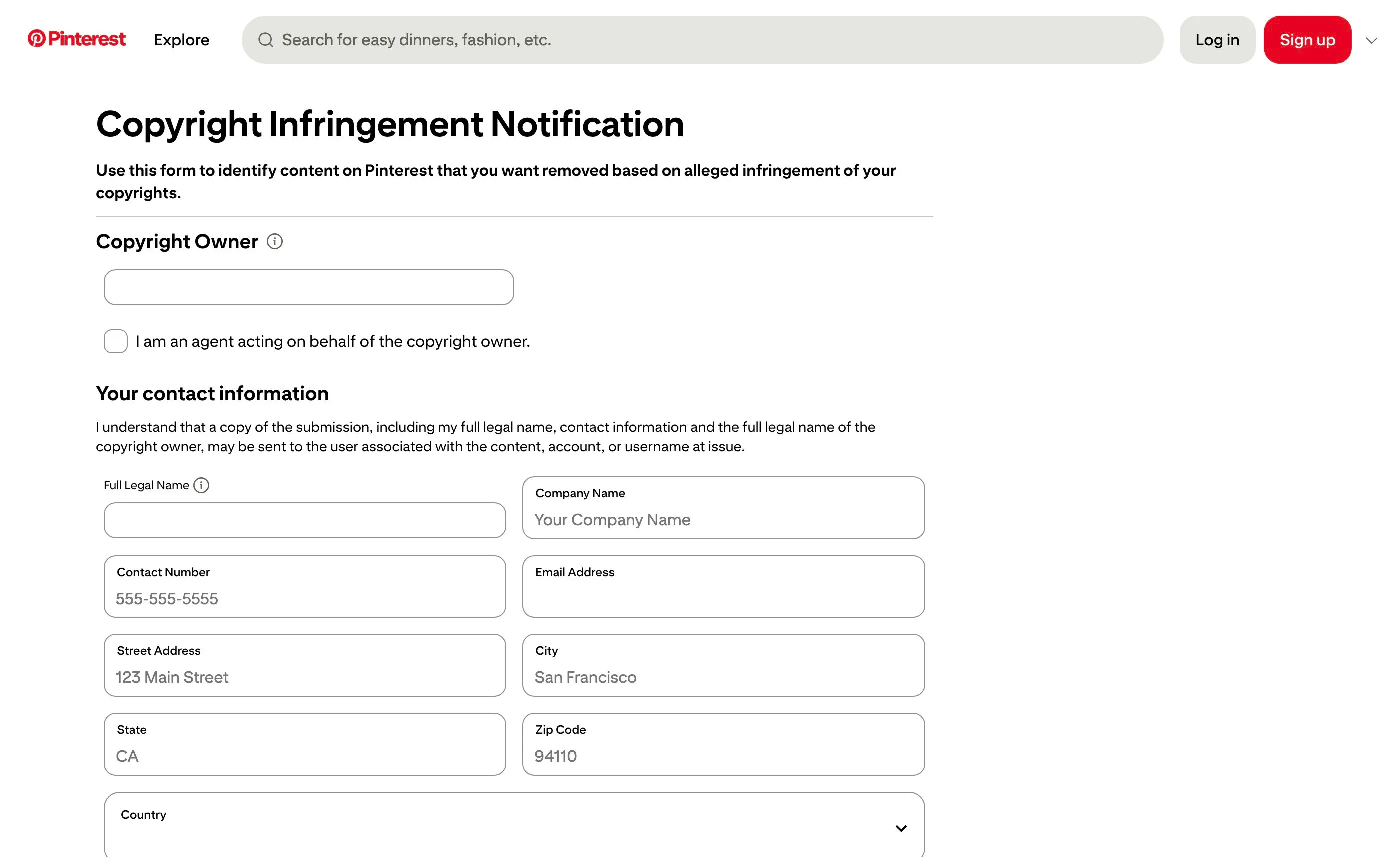
Step 3: Identify yourself and your original work
Fill in your name, company (if any), and contact information, and indicate whether you're acting as an agent for the copyright holder. Then identify the type of work that was copied, image, text, video, audio, design, even a recipe, and provide links showing where your original work appears online. An original post with an earlier date than the Pin is strong evidence.
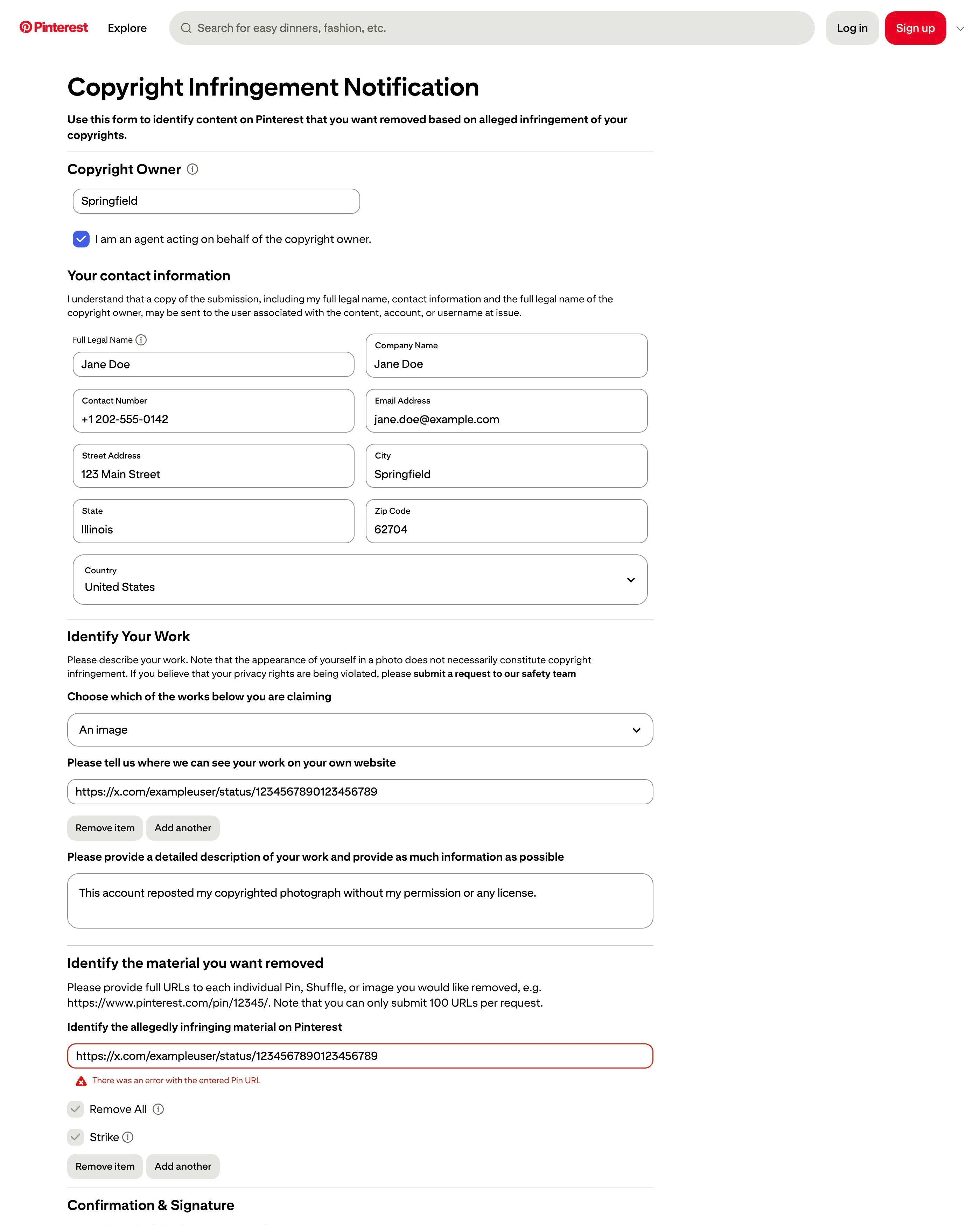
Step 4: Paste the links to the Pins that copied your work
Add every Pin link you collected, the form accepts up to 100 per report. Pinterest reviews exactly what you list, so don't summarize with "and many more"; every copy you want removed needs its own line. If you find more than 100, file a second report.
Step 5: Sign the statements and submit
Confirm under penalty of perjury that the information in your notice is accurate and that you own the copyright or are authorized to act for the owner, then type your full legal name as your electronic signature and submit. Some versions of the form also offer to prevent the same image from being saved to Pinterest again, if you see that option and want the image gone for good, enable it.
What happens after you file
Pinterest's copyright team reviews the notice and, if it's valid, removes the reported Pins and notifies the accounts that saved them. Repeat infringers get their accounts deactivated. The pinner can respond with a counter-notification, in which case Pinterest may restore the content unless you escalate with court action. Because Pinterest content spreads by re-pinning, expect stragglers: the same image may survive on Pins you didn't find the first time, so run a reverse-image search a week or two later and file again for anything left. If chasing re-pins across the platform becomes a recurring chore, a managed takedown service like Rulta handles the monitoring and refiling for you.
This guide is educational information, not legal advice.
Need the notice text?Generate a complete DMCA notice for Pinterest — free, one minute
Exhibit A — official takedown formhttps://www.pinterest.com/about/copyright/dmca-pin/
Frequently asked questions
Do I need a Pinterest account to file a copyright report?
No. The copyright form at pinterest.com/about/copyright/dmca-pin/ is a public webpage and does not require a Pinterest login.
How many Pins can I report at once?
Pinterest's form accepts up to 100 links to Pins that copied your work in a single report, so you can clear out a large batch of re-pins in one filing.
Someone pinned my image but it links back to my site, should I still report it?
That's your call. Pinning your image without permission can still be infringement, but many creators tolerate Pins that drive traffic to them and only report copies that strip credit or point elsewhere.
Will the person who pinned my image see my report?
Pinterest notifies the account that posted the content, and details from your notice, including your name, are typically passed along as part of the DMCA process.
What happens to accounts that keep stealing content?
Pinterest deactivates the accounts of repeat infringers, so reporting every incident helps build that record.